Stop imagining the site. See it. Decide.
Overview – Why 360° / 3D Tours Matter on Real Projects
Stop imagining the site. See it. Decide.
If you lead design, manage construction, or carry estates responsibility, you already produce excellent drawings and specifications. Where projects wobble is not the model – it’s the gap between model and field reality.
Email threads, PDFs and phone photos force everyone to reconstruct the site in their heads. That’s slow. It’s stressful. And it’s risky.
A 360° / 3D tour changes one thing fundamentally:
It gives every stakeholder the same visual truth. One link. Same context.
What that means in practice
- Fewer site visits – reviews that take minutes, not meetings
- Faster sign-off – because the decision point is visible
- Cleaner audit trail – “what it looked like then” is no longer guesswork
- Better collaboration – architects, PMs, M&E, client teams all see the same facts
- Reduced disputes – clarity reduces interpretation
This is not about replacing BIM or CAD. It’s about adding a reality layer beneath them.
You already model brilliantly. We simply document what is actually there – accurately, time-stamped, and shareable.
Think of it as:
From Site to Insight.
One space. One story. One truth.
For teams who assume it’s expensive or complicated, the reality is this:
a modest capture cost often removes hours of travel, rework and miscommunication later. It pays for itself in saved time alone.
How It Works – Capture, Process, Deliver
We keep it simple and precise.
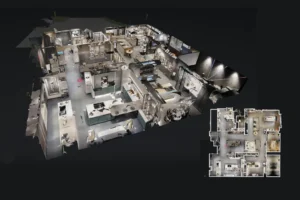
LiDAR scanning provides a full dolls house model and precise floor plan.
Capture – Rapid, Accurate Reality
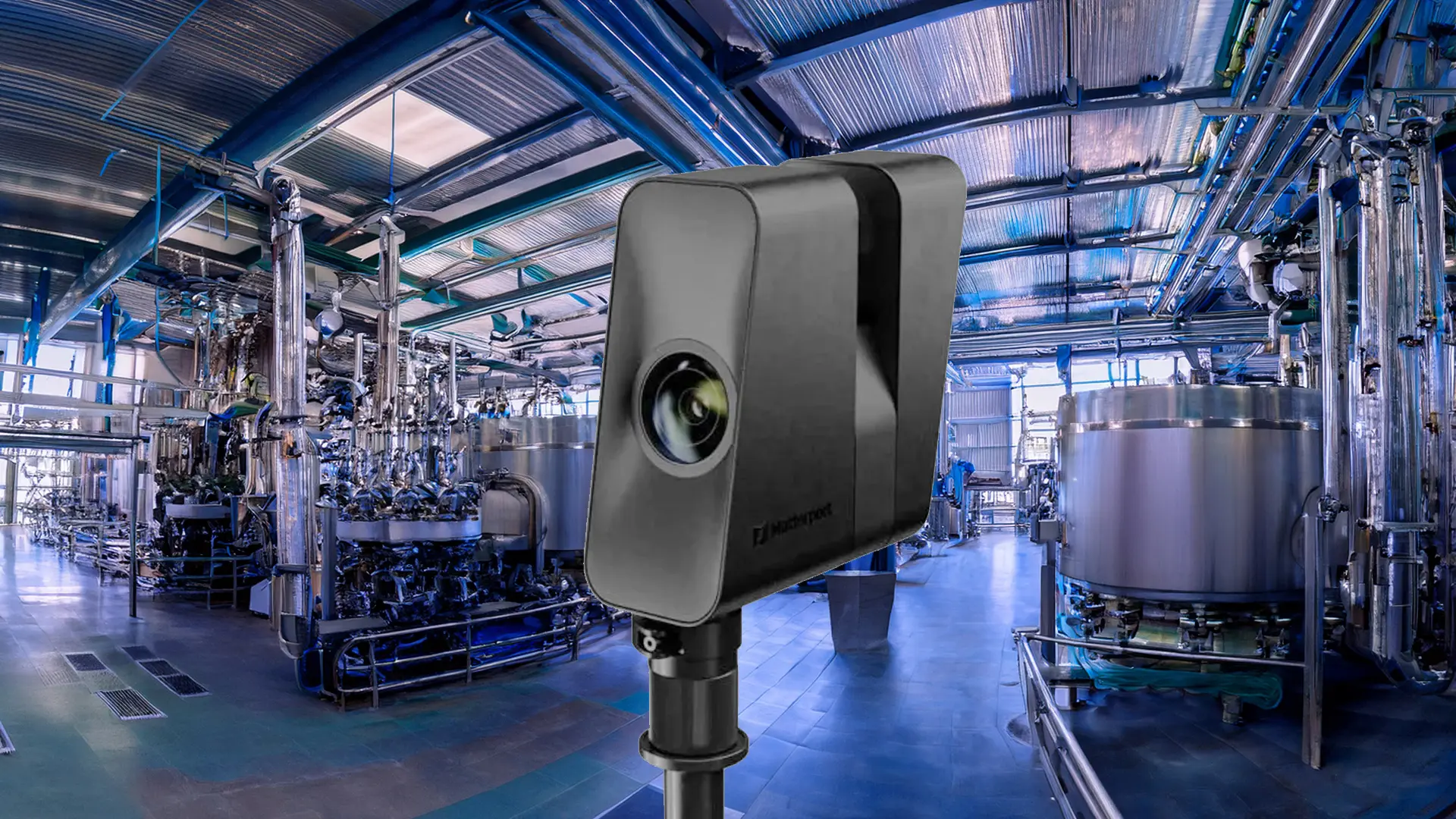
We use the Matterport Pro3 LiDAR camera to scan the space.
- Approx. ±20 mm at 10 m range
- High-resolution imagery (~135MP)
- Typical hosted depth range ~20 m
- E57 exports can extend further (up to ~100 m depending on conditions)
- High-Density mode available for thin services and detailed areas
We typically:
- Use Standard mode for general areas (speed + efficiency)
- Switch to High-Density in service-heavy zones (MEP, ceilings, plant rooms)
- Establish a stable control scan each visit for visual QA between stages
Result: a complete, measurable digital twin of the site as it is today.
Processing – From Scan to Usable Assets
After capture, we publish a secure 3D link and, where required, provide technical exports.
Visual Tour (for decision-making)
- Private or public web link
- Inside, Dollhouse and Floorplan views
- Measurement tools
- Tagged issues, RFIs, risks, references
- Guided highlights for key decision points
This is what turns “I think” into “I can see”.
Technical Outputs – For Design & Coordination
When your team needs more than viewing:
E57 Point Cloud (ASTM E2807)
- Vendor-neutral geometric truth
- Per-scan cloud + pano + metadata
- Best for modelling and QA
- Recommended for downstream BIM/CAD workflows
Workflow example:
E57 → Autodesk ReCap (RCP/RCS) → AutoCAD / Revit link
Revit Plug-in Route
- Matterport for Revit plug-in
- Pull E57 / XYZ or purchased BIM File directly into Revit
- Speeds up authoring workflow
- Does not auto-model – your team controls LOD
Optional BIM / CAD Deliverables
- LOD-200 BIM (RVT) – paid add-on
- CAD/DWG outputs
- Quick-start models when tracing from scratch isn’t practical
The key distinction:
- Matterport = capture + host + exports
- E57 = geometric truth
- Revit plug-in = import helper
- SimLab STAGES = comparison + timeline, not authoring
We keep those roles clean to avoid workflow confusion.
Today vs Then – Versioning & Progress
A space isn’t static. That’s where staged capture matters.
We rescan at key milestones and enable:
- Scan-vs-scan comparisons (quick checks inside Matterport)
- Timeline + split-screen comparison using SimLab STAGES
- As-built vs BIM/CAD side-by-side
- Issue logging with exportable CSV logs
Ideal for:
- Progress validation
- Snag and RFI context
- Variance reviews
- Claims-friendly documentation
Instead of asking, “What was there when we agreed that?”, you just step back in time.
Add-ons – the tour is just the start
A 3D tour is not the end product. It’s the foundation.
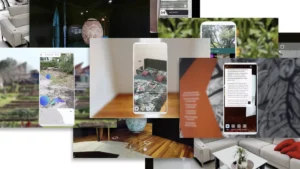
A vast number of add-ons turn a space into an interactive asset.
Collaboration & Coordination Layer
SimLab STAGES
- Timeline by phase: As-Is → With-Works → Post-Works
- Split-screen: scan vs BIM / IFC / DWG / 2D
- Issue pinning and exportable logs
- Browser-based review for non-CAD stakeholders
Perfect when coordination and version control matter more than pure modelling.
3.2 Asset & IoT Integration
SIM-ON
- Connect digital twin to IoT and building automation
- Asset management in 3D
- Maintenance scheduling in context
Turns a scan into a living operational interface.
Marketing, Engagement & Lead Capture (Where Relevant)
For commercial property, hospitality or exhibition environments:
- Zuant3D / CAPTUR3D overlays
- Embedded media and documentation
- Lead capture + CRM integration
- Visitor analytics (dwell time, hotspots viewed)
The same model that supports coordination can also support sales.
ESG & Operational Impact
- Fewer unnecessary site visits
- Reduced travel emissions
- Better pre-works clarity = less waste
- Clear historic record for compliance
A digital twin is not just convenient – it supports measurable ESG outcomes.
The Bigger Picture
This is not about technology for its own sake.
It’s about:
- Faster decisions when context is visible
- Fewer emails, fewer calls, fewer repeats
- The same facts for every stakeholder
- A record you can search and share
You already design and manage complex spaces. We simply ensure that what’s built, changed, agreed or disputed is documented in a way that stands up.
Show — don’t second-guess.